Cases and fieldwork
Organize intake, case status, subjects, assignments, tasks, notes, time, and expenses in the investigative workflow.
Manage case intake, public background research, AI-assisted writing, surveillance, investigative reports, evidence custody, client delivery, invoices, payments and payroll with Case Files Professional. Give your investigators, managers, accounting team and clients the access they need.
Application previews edited with product branding and fictional demonstration details. Select an image for a larger view.
Private investigation and agency management software for field teams, managers, accounting personnel and clients. Connect intake, surveillance reporting, evidence, client delivery, billing and financial review.
Organize intake, case status, subjects, assignments, tasks, notes, time, and expenses in the investigative workflow.
Review public-source findings, possible matches and research history. Use configured AI draft assistance and location tools within the case workflow.
Use AI assistance to refine draft narratives, review every suggestion, and prepare reports for Word or print-ready PDF output.
Maintain evidence records and activity history. Explain locations with Scene Diagram and configured Google Maps tools; store case files through Dropbox.
Use Administrator, Case Manager, Investigator, Accounting and Client access. Review time and expenses, maintain payroll records, issue invoices and export CPA financial registers.
Open public research for a selected case and subject, review source findings and possible matches, and save selected findings for further review. Configured AI draft assistance supports narrative preparation. Location tools and research history keep supporting context accessible. The gallery research image is an edited design preview with fictional data.
Create companies and client accounts, receive public case requests, open an investigation and assign its manager, investigators and client. Track case type, priority, deadlines and status. Reopened work receives a new numbered effort so earlier reports and records remain part of the history.
Keep subject identities, aliases, photographs, contact details and addresses with the case. Record vehicles and use configured NHTSA VIN decoding. Organize criminal and civil matters, insurance claims, IME appointments, attorneys and contacts with review, locking and amendment workflows.
Schedule assignments, review approaching deadlines and overdue work, and update tasks as scheduled, in progress, completed or cancelled. The Operations Command Center brings case counts, review queues and quick actions together. Configured SMTP email and Twilio SMS support notifications.
Prepare reports for surveillance, SIU, interviews, canvasses, background research, locates, legal work and other supported profiles. Build timed surveillance entries with up to four photographs per entry and separate summary photographs. Keep observations tied to the actual investigation date.
Move reports through Draft, Submitted, Approved and Released. Managers return work for correction, approve completed reports and release them to assigned clients. Create draft revisions when approved work needs correction. Export supported Word, PDF, print and combined surveillance outputs.
Register physical or digital evidence with collection time, custodian and storage location. Document transfers and disposition; review file hashes and custody history. Keep internal notes and documents separate from client releases. Activity and Audit supports review of user and system events.
Create scene diagrams and attach reviewed revisions to reports. Configured Google Maps provides subject location context. Optional AI helps refine narratives and check reports; investigators review suggestions against source material before applying them.
Assigned clients view released reports, shared documents, their issued invoices and active final-video deliveries. Management approves final MP4 video and creates delivery links with expiration, optional password, permitted download and revocation controls.
Investigators submit actual work time, mileage, expenses and receipts against the case. Authorized reviewers approve or return entries. Maintain payroll and vendor payment records, reimbursements, budgets and operational metrics alongside approved work.
Create case-linked or standalone invoices with service lines, rates, taxes, discounts and client terms. Import selected approved billable work, preview the result, issue to the billed client and send the invoice. Review invoice aging and configure reminders and recurring monthly drafts for approval.
Track manual and configured online payments, credit adjustments, refunds and receipts against issued invoices. Review provider events and uncertain attempts before reconciliation. Issued invoice snapshots preserve the financial details used at issue.
Administrator and Accounting users review invoices, payments, settlements, credits, current receivables, approved expenses and payroll. Match recorded transactions to bank or processor statements, review exceptions and document period review. Export CSV registers, a complete CPA packet and supported summaries for external accounting.
Configure your own agency identity, logo, timezone, report signer and output branding. Administrator, Case Manager, Investigator, Accounting and Client roles combine with case assignments and release state to scope access. Configure SMTP, Twilio, Dropbox Case Cloud, payment services and optional AI for your deployment.
Manage database and full-system backups, integrity verification and protected recovery captures. Configure scheduled jobs, inspect scheduler execution and use supported restore controls. LicenseHub supplies domain-bound activation and compatible cumulative updates with package verification.
Edited application screenshots show fictional demonstration records. Integrations require configured provider accounts. Core workflows reflect the Version 1.0.0 manual; the public research design preview illustrates the additional research workflow.
Keep public-source findings, reviewed draft assistance and location context connected to the selected subject and case effort.
The Research workspace supports public background research across court and public records, business affiliations, news and public social profiles through the configured research services. Review source links and additional identifiers before treating a possible match as the subject. Save selected findings and a research summary to the case for further review.
Configured AI integration supports draft assistance for case notes and report narratives. Review the suggested wording against the investigation record before accepting it. Managers retain control of report approval and client release.
Location and directions tools support planning with configured maps services. Research History provides a place to revisit recorded research activity. The case Research tab opens public background research; AI tools remain grouped with draft assistance, location and history.
The research image is an edited design preview with fictional sample data. Source coverage depends on configured services and availability. A possible match requires identity review.
Explore public research and AI toolsOne agency workflow brings field findings, reviewed deliverables and the financial record together.
Review intake, select the company and client, assign investigators, and schedule work.
Record observations, photos, evidence, time and expenses. Submit reports for management review.
Release approved reports and final video, issue invoices, reconcile payments and prepare accountant exports.
 INCLUDED ADD-ON • SELF HOSTED OR HOSTED BY US
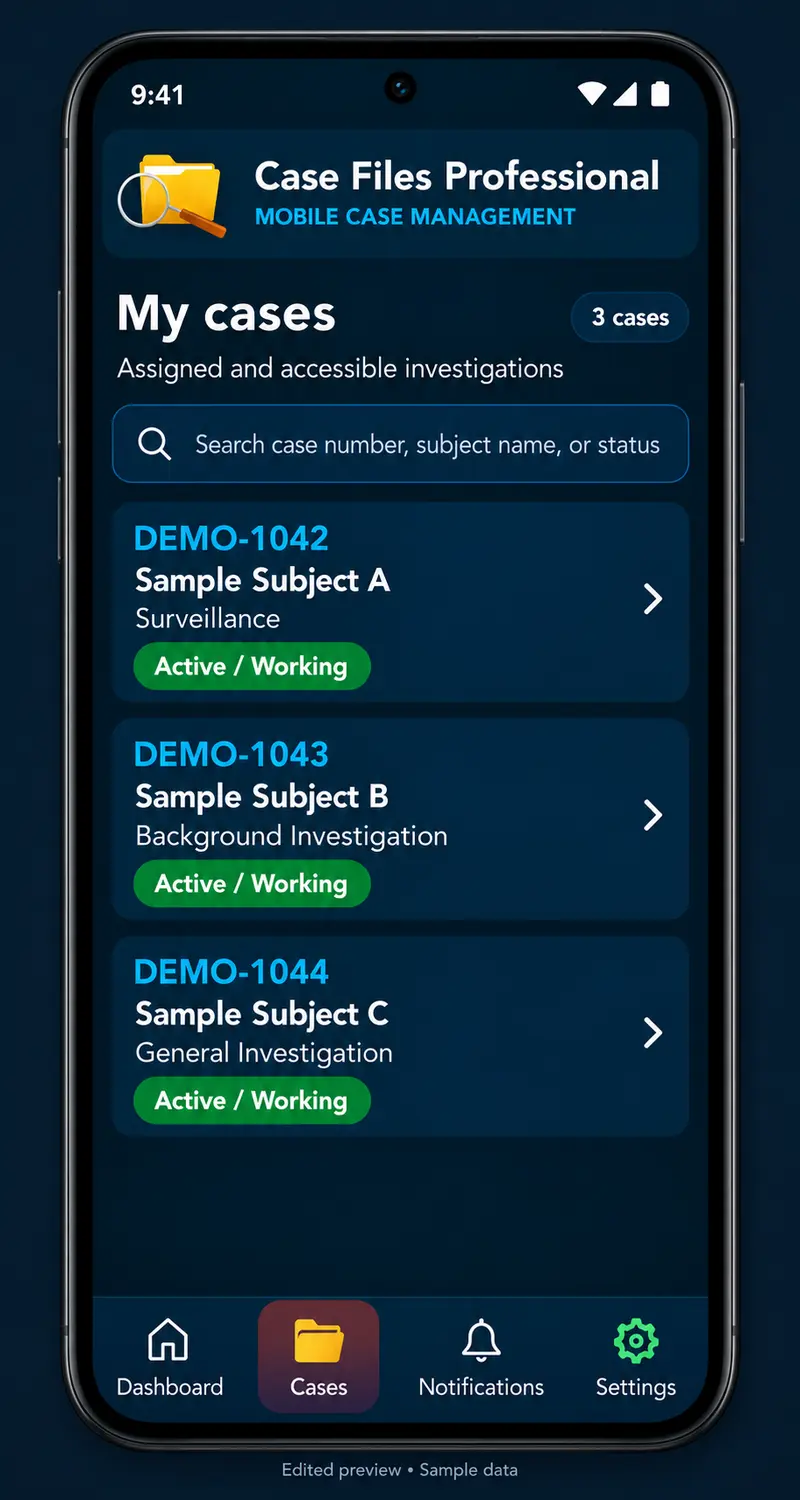
Connect the Android app to your PI case management system for assigned case access and case-linked field records. GPS Check in records arrival; GPS Check out records departure. Each action requests a fresh location and requires agency-server confirmation, with coordinates, timestamps and accuracy available in the case history.
Mobile is included with Case Files Professional under either hosting arrangement. It is an add-on to your agency system.
Support surveillance, insurance and SIU assignments, civil litigation and criminal defense work, corporate inquiries, background research, interviews, canvasses and locates.
Coordinate assignments, surveillance reports, evidence, client delivery and billing.
Explore this workflow ↗Organize claims, timed observations, statements, corroborated findings and review.
Explore this workflow ↗Connect witnesses, legal matters, scene documentation and reviewed reports.
Explore this workflow ↗Keep interviews, documents, research and sensitive findings within assigned case access.
Explore this workflow ↗Turn recorded interviews into timestamped transcripts and branded reports. Transcribe locally, listen and correct each segment, name speakers, and export Word or PDF. Use standalone or connect to your agency for supported Case Files uploads. Separately licensed, with discounted pricing for Case Files Professional customers.
Explore TranscriptPro capabilities ↗Prepare photos and timestamped surveillance video in the companion Windows desktop program. Batch-edit photographs, export copies, build local PDF photo reports, and save individual or combined videos. Connect video for manager review and exported photos to internal case documents with the compatible connector. Discounted for Case Files Professional customers; standalone use is available for a fee.
Explore MediaPro capabilities ↗Configure your agency name, logo, report signer, timezone and integrations. Run on compatible infrastructure you manage or discuss a hosted arrangement with our team.
Use compatible PHP 8.3+ hosting, MySQL 8 or MariaDB 10.6+, HTTPS and required extensions. Your team or provider manages the server and operating policies.
Discuss onboarding, storage, support, backups and maintenance responsibilities for your agency.
Yes. The Android add-on is included with Case Files Professional PI case management whether you self host or we host. It connects to the agency installation for assigned case access and server-confirmed GPS check-in and check-out. iPhone support is pending.
Yes. MediaPro is available at a discounted price for Case Files Professional customers. It prepares timestamped video and stills locally, with an optional authorized connection for draft uploads. Standalone MediaPro is available for a fee.
Case Files Professional is private investigation case management and agency management software connecting case intake, field work, reporting, evidence, client delivery and finances.
Clients access assigned cases and released materials. Internal drafts are not made available merely because a client belongs to a company. Invoices must be issued to the billed client.
Yes. The system includes invoicing, reminders, payment and credit records, receipts, payroll records, financial registers, settlement matching and CPA exports. Accountant Workspace supports external accounting; it is not a complete general ledger or tax-return system.
Yes. The commercial edition supports your agency identity, report branding, logo, signer and contact information.
Yes. The supported final MP4 workflow includes management approval and delivery links with configurable expiration, optional password, download permission and revocation.
Yes. Use compatible PHP 8.3 or newer hosting with MySQL 8 or MariaDB 10.6 or newer, HTTPS and the required extensions, or discuss hosting through Case Files Professional.
AI provides optional writing and review assistance. Authorized users verify the facts and control report submission, approval and client release.
Walk through a case from intake and investigator assignment to report release, final video delivery, invoicing and accountant review.
Tell us about your case types, staff, clients, reporting and billing needs.
Request a walkthrough ↗